Create Route 53 Resolver Rules
Create Route 53 Resolver Rules
The next step is to create Route 53 Resolver Rules. A Route 53 Resolver rule allows you to define two actions: Forward or System.
- With Forward, you can configure Route 53 Resolver to forward DNS queries to an external DNS resolver (e.g., your on-premise DNS server).
- With System, Route 53 will query internally to resolve domain names (Private DNS zones, VPC DNS, and Public DNS).
- Access Route 53 console through the search box and search for Route 53.
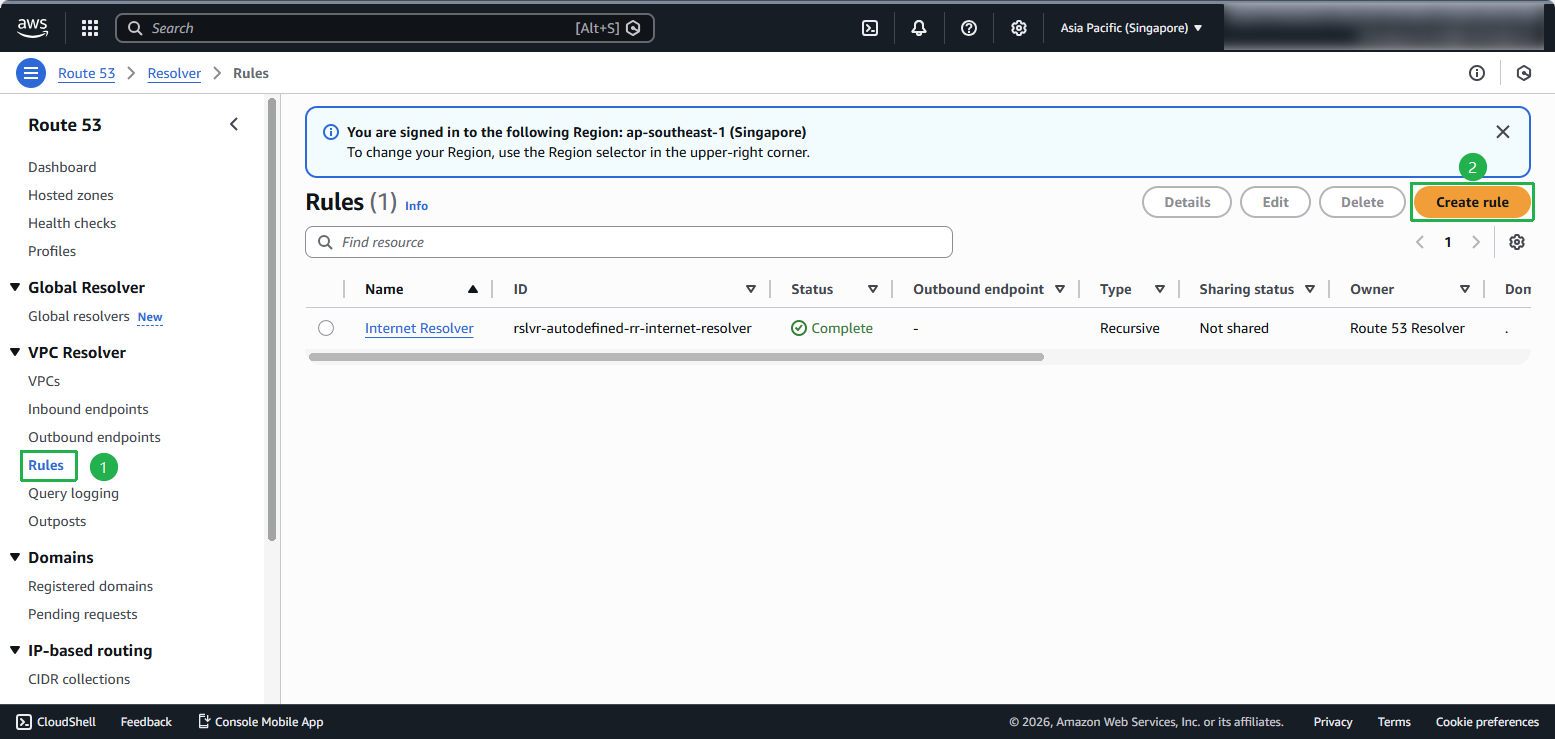
- In the left sidebar, select Rules and select Create rule.
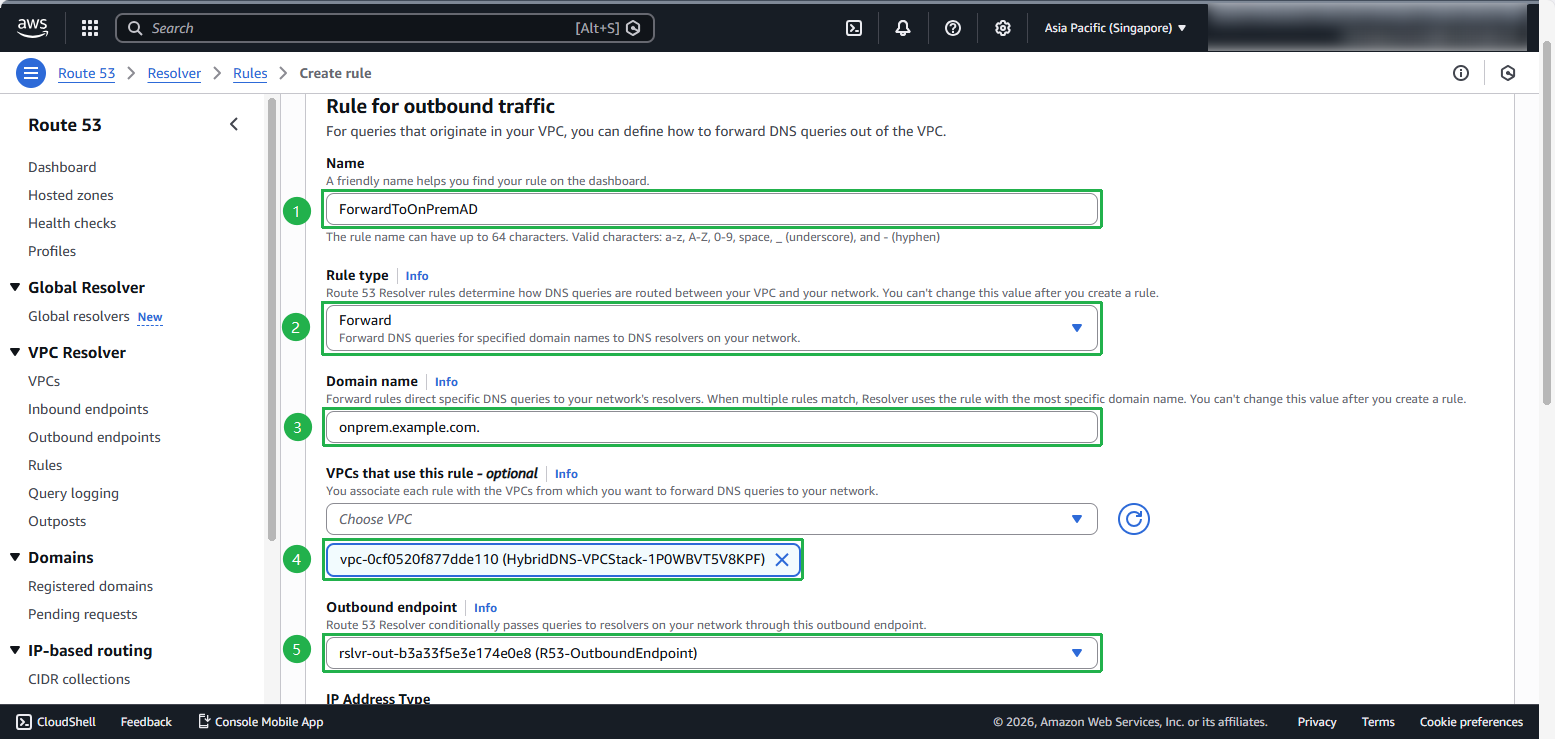
Enter the following information:
In Name, enter:
ForwardToOnPremAD
In Rule type, select:
- Forward
In Domain name, enter:
onprem.example.com.(This is the domain name of the directory you created in the previous section)
In VPC that use this rule, select:
- HybridDNS-VPCStack
In Outbound Endpoint, select:
- R53-OutboundEndpoint
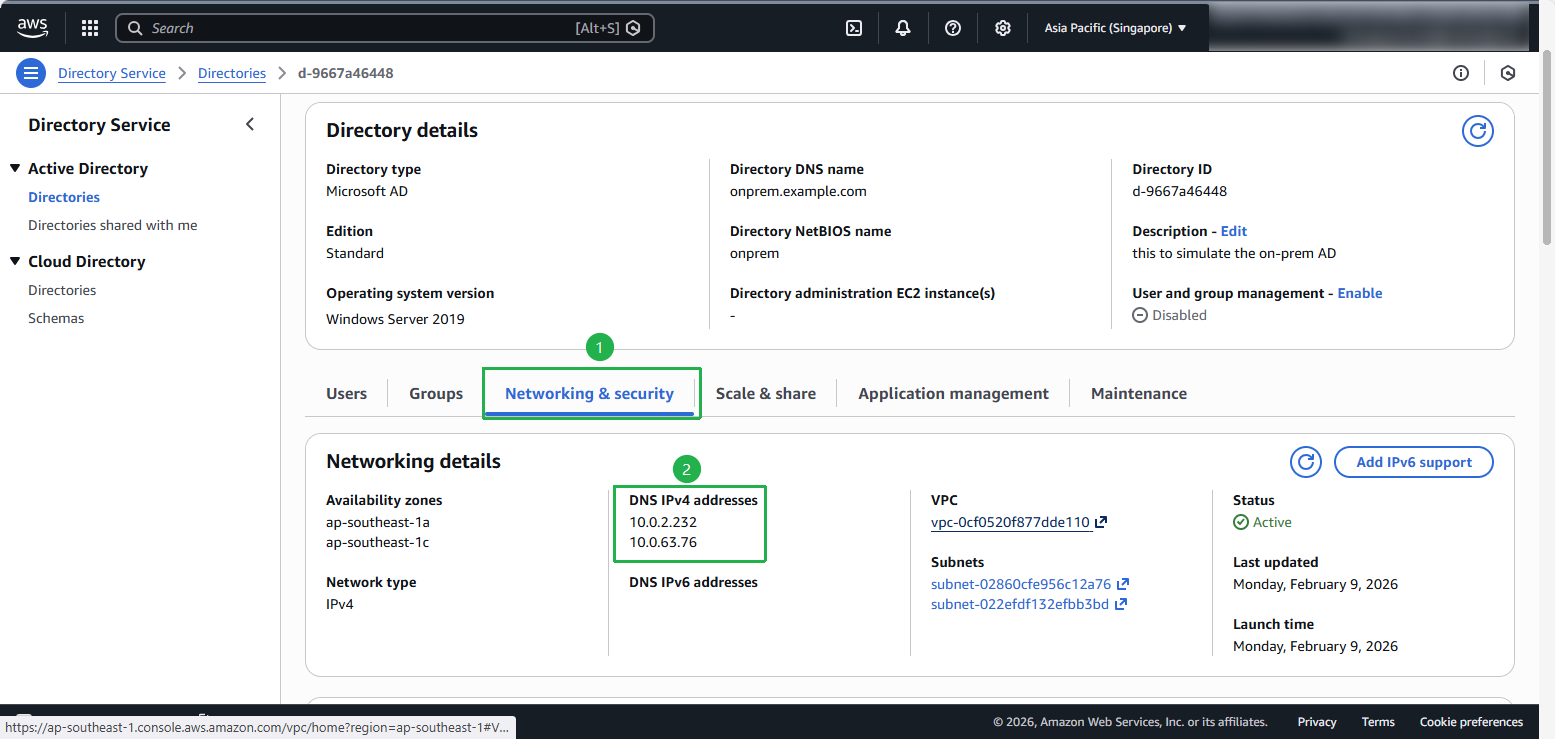
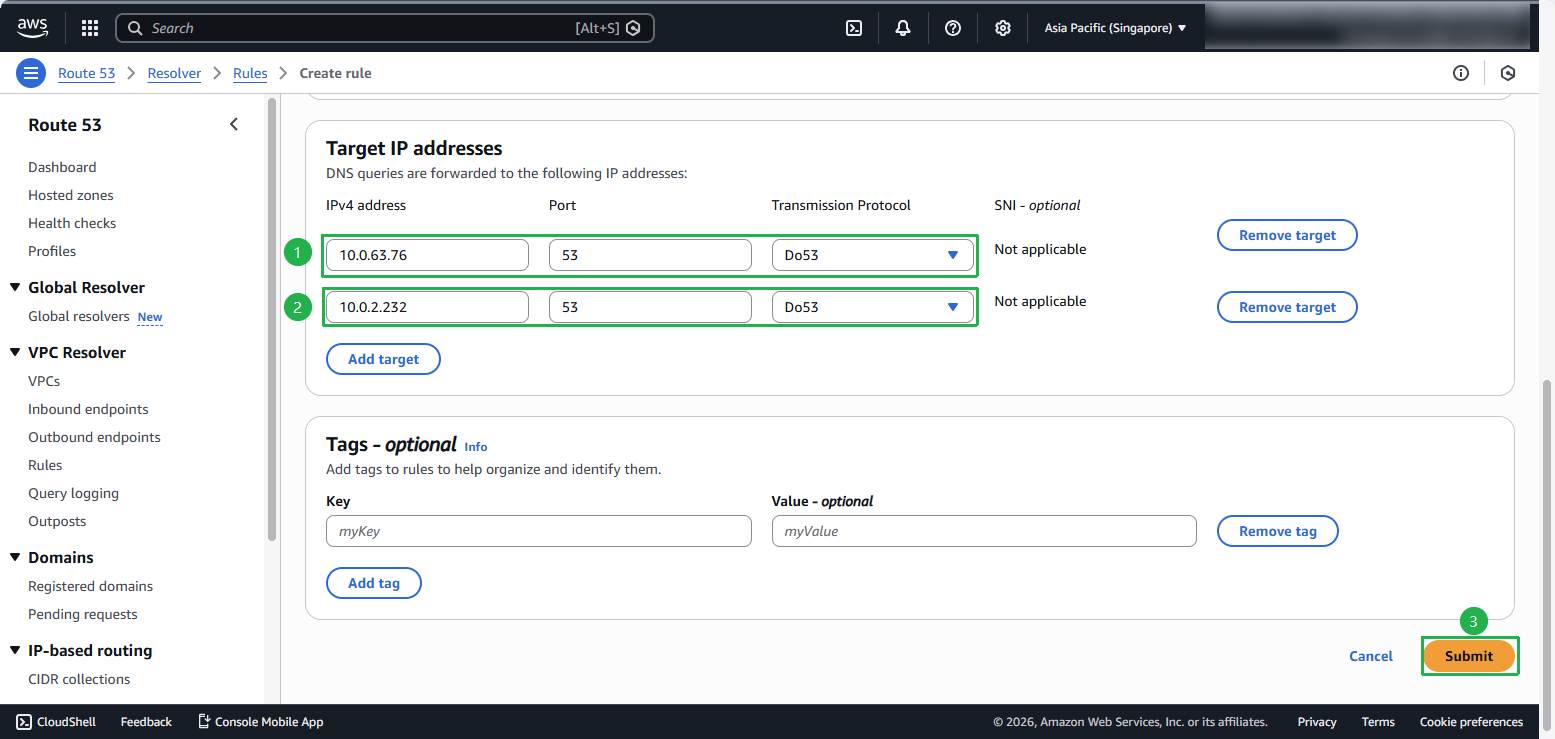
In Target IP addresses, enter the two AWS Managed Microsoft Active Directory IP addresses that were recorded. Note that you need to select Add target to add the second IP address.
- Select Submit
 4. Complete creating Route 53 Resolver
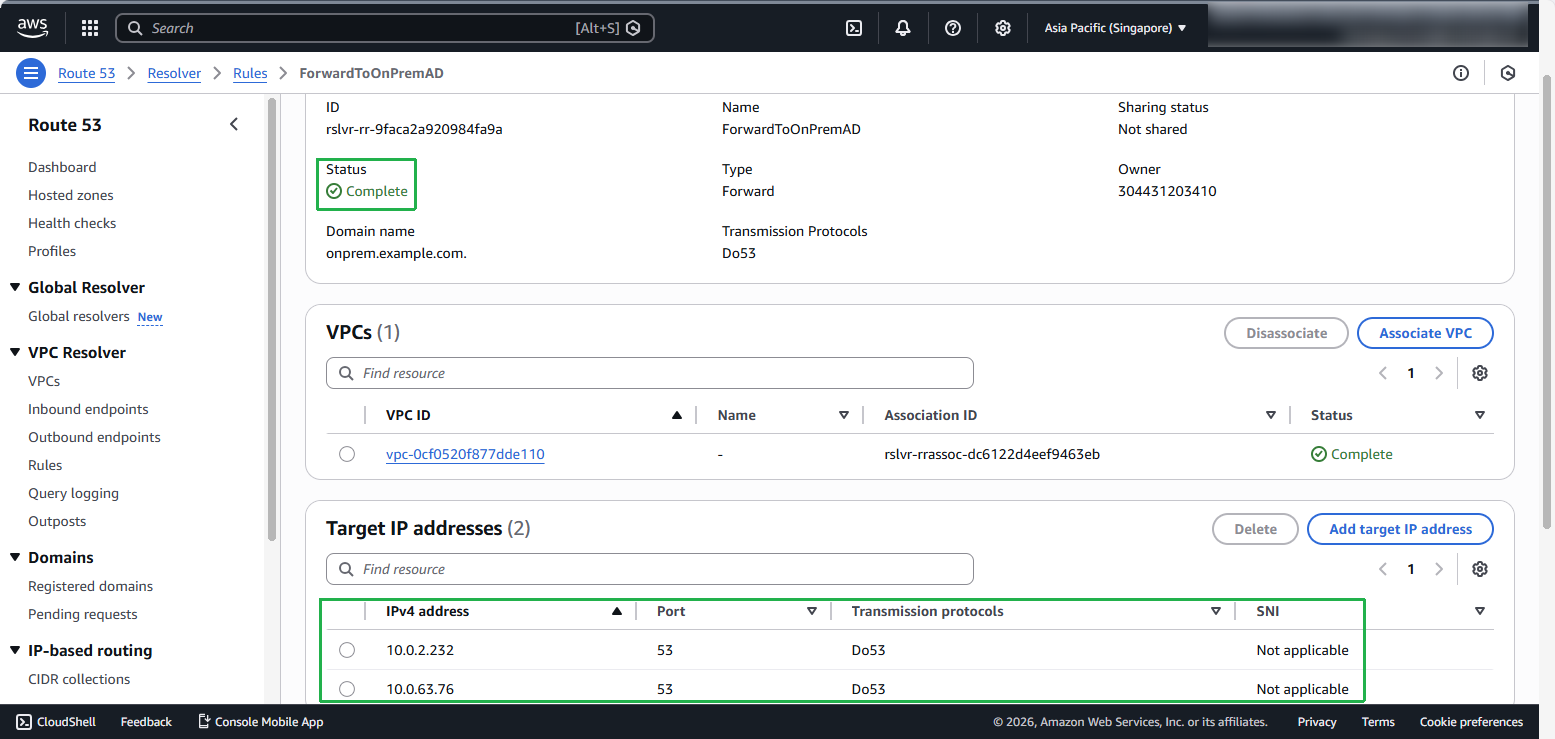
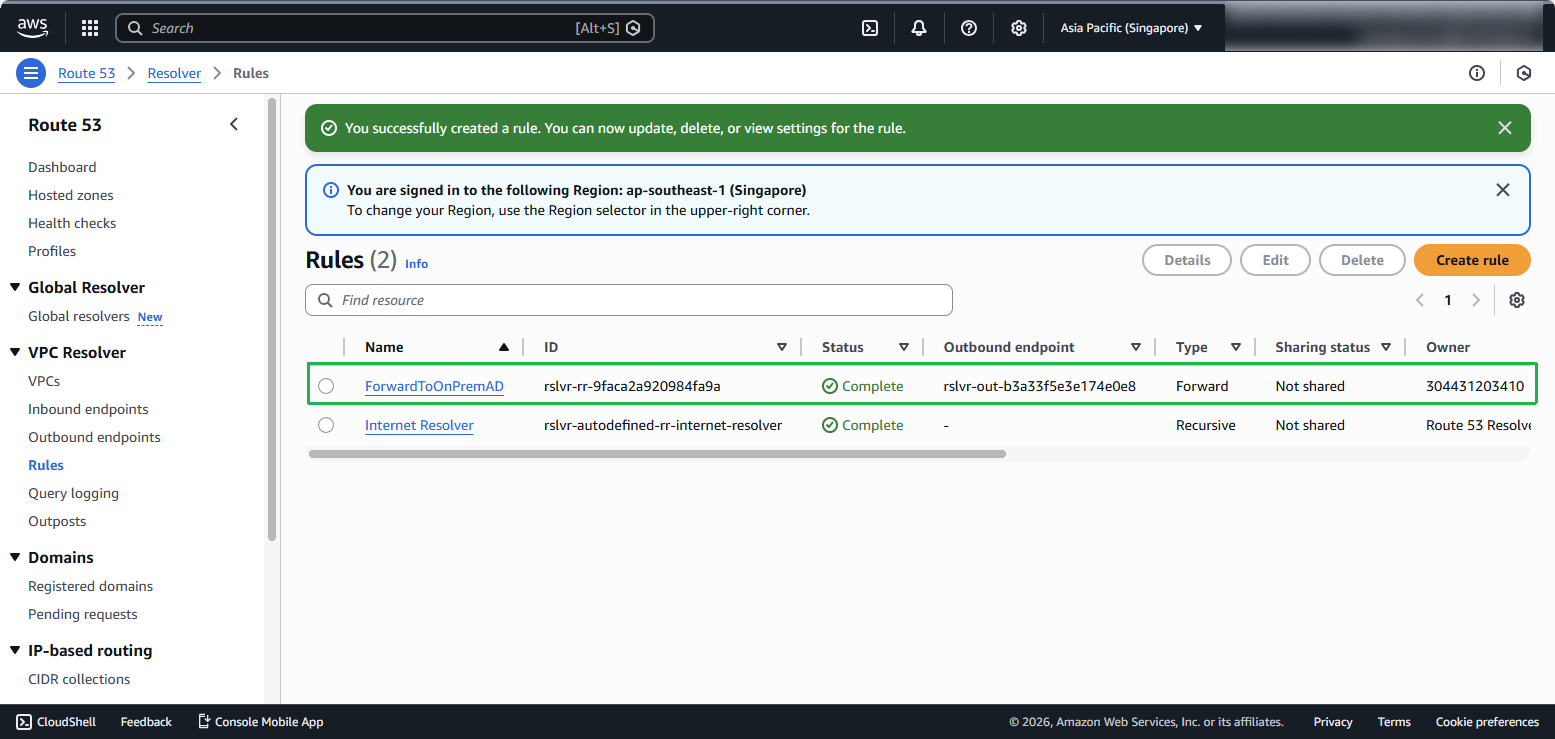 5. At this point, you have configured Route 53 Resolver to forward queries for onprem.example.com to another DNS resolver (e.g., AWS Managed Microsoft AD). The domain name, onprem.example.com, simulates a DNS domain hosted by your on-premise DNS system.